Xploration • Curation • Recommendation


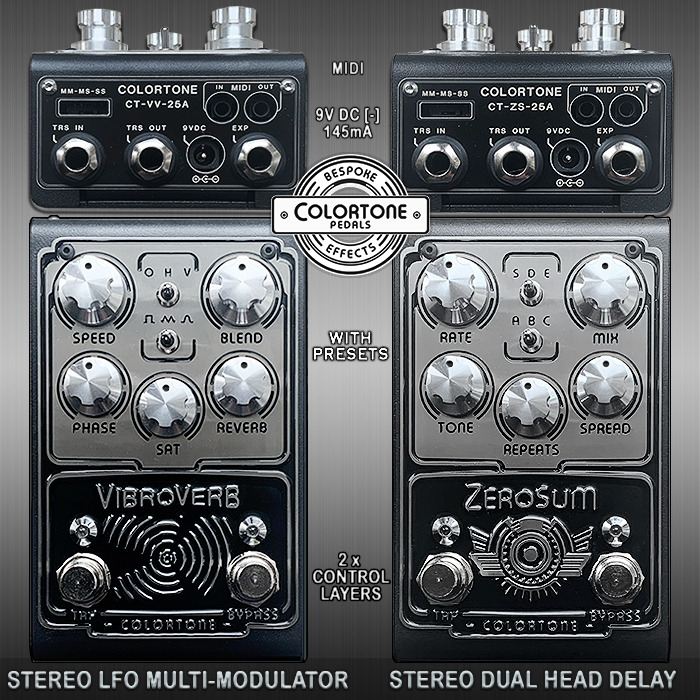
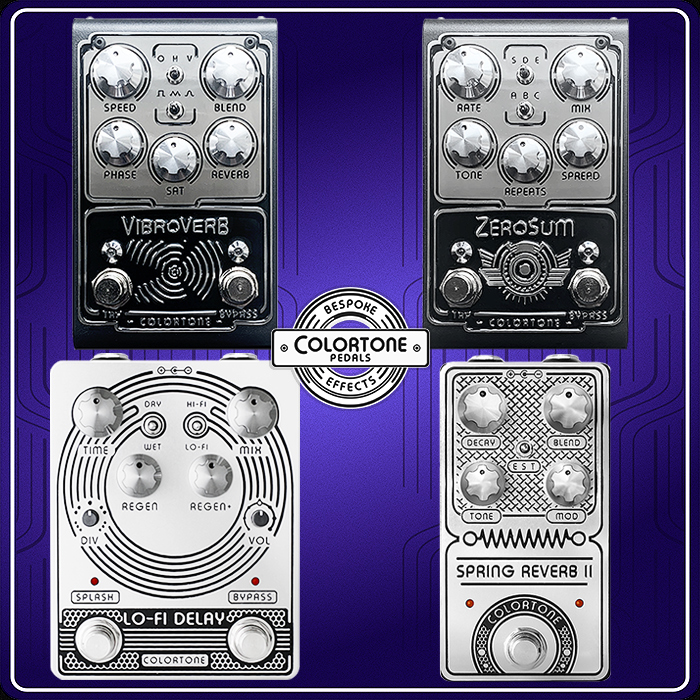
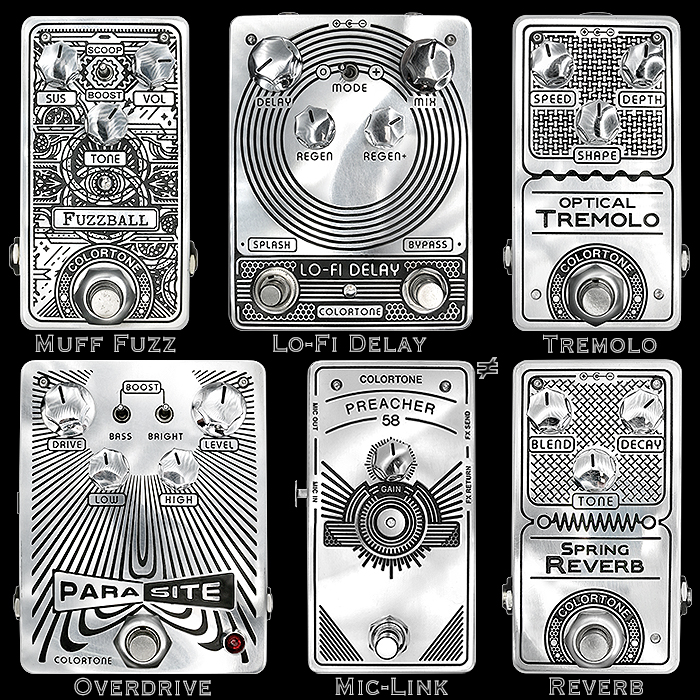
The Colortone VibroVerb and ZeroSum get the final tiny tweaks that they need - now with Smarter Preset Switching and slightly Brighter Tone Profile


Key Points
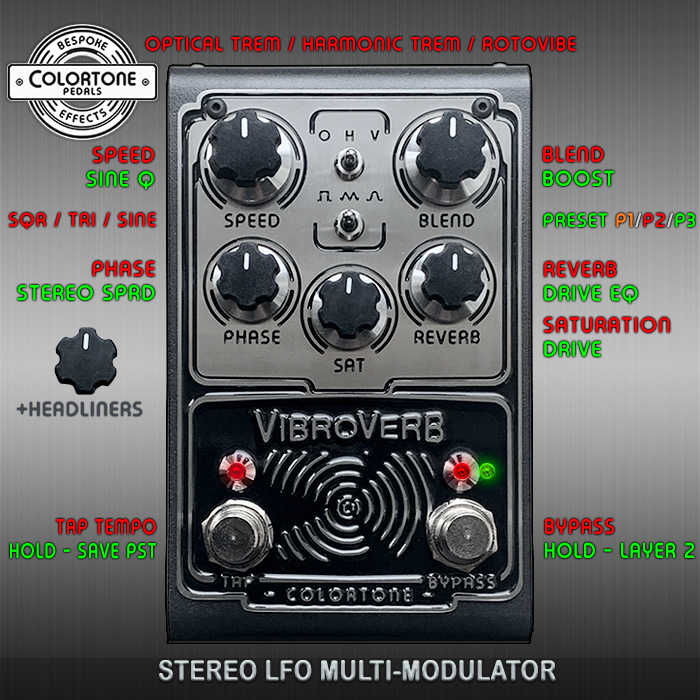
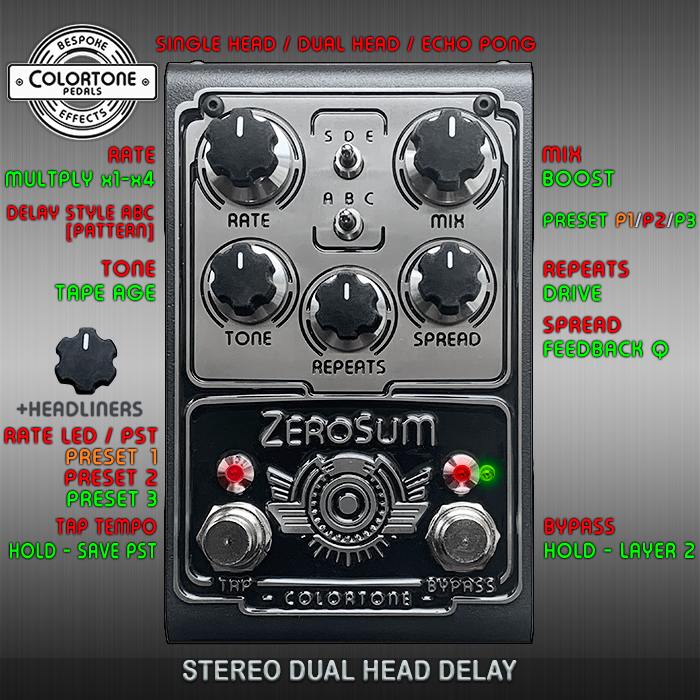
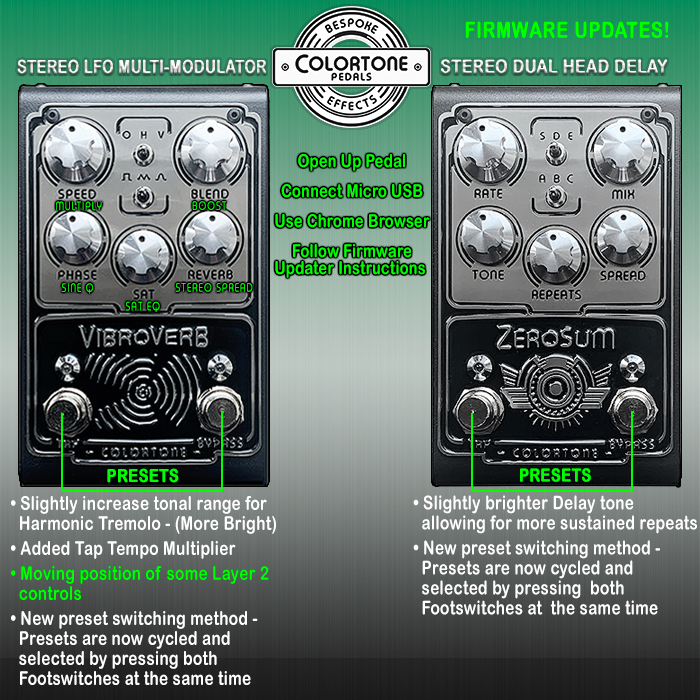
VibroVerb and ZeroSum receive Smarter Preset Switching via combined two-footswitch presses, plus a slightly Brighter Tone Profile to lighten dense, intense output. VibroVerb adds Tap Tempo Multiplier on Speed, with other secondary functions re-arranged.
Updates require Chrome, a quality USB-Micro-to-USB-C Data-Transfer cable, and https://colortonepedals.github.io/Updater/. VibroVerb uses RESET then BOOT, “Daisy Bootloader,” and VibroVerb_v1.11d RELEASE. ZeroSum uses held BOOT plus held RESET, “DFU in FS Mode,” and ZeroSum_v1_9 RELEASE. The procedures differ; a wrong file type briefly bricked VibroVerb. Consult a qualified tech before opening or modifying either pedal. Assistance: https://www.colortonepedals.com/contact
So when I first reviewed these two superb specimens from Colortone Pedals I advocated for Smarter Preset Switching - via a combined press on the two footswitches - as several pedals do - and AD has now programmed that to perfection - so you can scroll through the presets with the 2 footswitches - changing things up wholly on-the-fly - for a much more dynamic live performance.
I also noted that the output could at times be somewhat dense and intense - and could do with Lightening Up and Brightening Up to a degree - which AD has now implemented also.
In the grand scale of things these are fairly minor changes really - while they can make a significant difference for most players - and make the playability of those pedals - much more satisfying.
The VibroVerb now has a Tap Tempo Multiplier as the secondary function on the Speed dial - where that’s pushed out the order of the various other secondary functions - which are now somewhat re-arranged / re-flowed per my visual!
I’m never a fan of having to update the firmware of a pedal - and frequently don’t bother for small increments and changes - as the process can be somewhat clunky and complex - which is particularly true here.
It has to be noted that the update procedures for each pedal are slightly different - and so I’ve separated them out here - as I got somewhat confused by the official instructions - and ended up loading the wrong file type onto the VibroVerb - which kind of bricked that pedal for a short period - and needed a rebooting of the Flash / Boot routine.
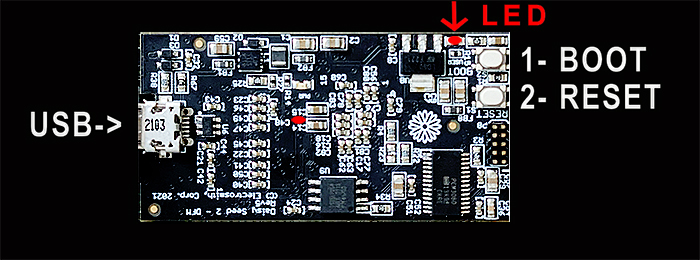
The small button presses - BOOT and RESET have different sequences for each pedal - and it's vital that you follow my instructions below to the letter. I learned from all the potential pitfalls - I pretty much hit all of them - so my vast experience can help ensure you get it right on first attempt!
Needless to say both my devices are now fully Upgraded and working Better than Ever!
Please follow my instructions precisely - or you will encounter the same pitfalls as I!
VibroVerb Upgrade Process
- You need to be using a quality Data-Transfer cable with USB-Micro to USB-C end points
- You need to be using the Chrome Browser
- Navigate to Firmware Upgrade Page : colortonepedals.github.io/Updater/
- Undo screws and remove the back plate of the VibroVerb device - you will see an elevated daughterboard - which has the Micro-USB Port on its left flank
- Connect cable between USB-Micro Port and Computer
- You should see two red LEDs come on - one slightly left of centre which stays on, and a flashing one sort of above the BOOT and RESET buttons
- The Boot / Flash routine for the VibroVerb involves pressing and releasing the RESET button, and then pressing and releasing the BOOT button in order - the flashing LED should switch off to indicate active status
- You can then [CONNECT] the device - which should appear in the [Connect] Drop-Down after that button press = 'Daisy Bootloader' - select that and then hit the second [Connect] Button
- You next need to select -Pedal- and -Firmware Version- from the lower drop-down menus - those choices will likely be VibroVerb and VibroVerb_v1.11d RELEASE
- Finally you need to hit [Program] to initiate the Firmware transfer
- The Program Progress Bar should transition from left to right, and you know that the Upgrade / Overwrite worked - when you see the second Red LED flashing again
- You then remove the cable and check that the pedal comes on as normal - and you're all good to go then - apart for some minor re-assembly and re-patching to board!
ZeroSum Upgrade Progress
- You need to be using a quality Data-Transfer cable with USB-Micro to USB-C end points
- You need to be using the Chrome Browser
- Navigate to Firmware Upgrade Page : colortonepedals.github.io/Updater/
- Undo screws and remove the back plate of the ZeroSum device - you will see an elevated daughterboard - which has the Micro-USB Port on its left flank
- Connect cable between USB-Micro Port and Computer
- You should see two red LEDs come on - one slightly left of centre which stays on, and a flashing one sort of above the BOOT and RESET buttons
- The Boot / Flash routine for the ZeroSum involves pressing and holding the BOOT button, and then pressing and holding the RESET button at the same time - the flashing LED should switch off to indicate active status once you release both buttons simultaneously
- You can then [CONNECT] the device - which should appear in the [Connect] Drop-Down after that button press = 'DFU in FS Mode' - select that and then hit the second [Connect Button]
- You next need to select -Pedal- and -Firmware Version- from the lower drop-down menus - those choices will likely be ZeroSum and ZeroSum_v1_9 RELEASE
- Finally you need to hit [Program] to initiate the Firmware transfer
- The Program Progress Bar should transition from left to right, and you know that the Upgrade / Overwrite worked - when you see the second Red LED flashing again
- You then remove the cable and check that the pedal comes on as normal - and you're all good to go then then - apart for some minor re-assembly and re-patching to board!
Further Assistance!
If you need further help for the Firmware Upgrade, Colortone's AD says he's happy for people to contact him direct - www.colortonepedals.com/contact