

Xploration • Curation • Recommendation


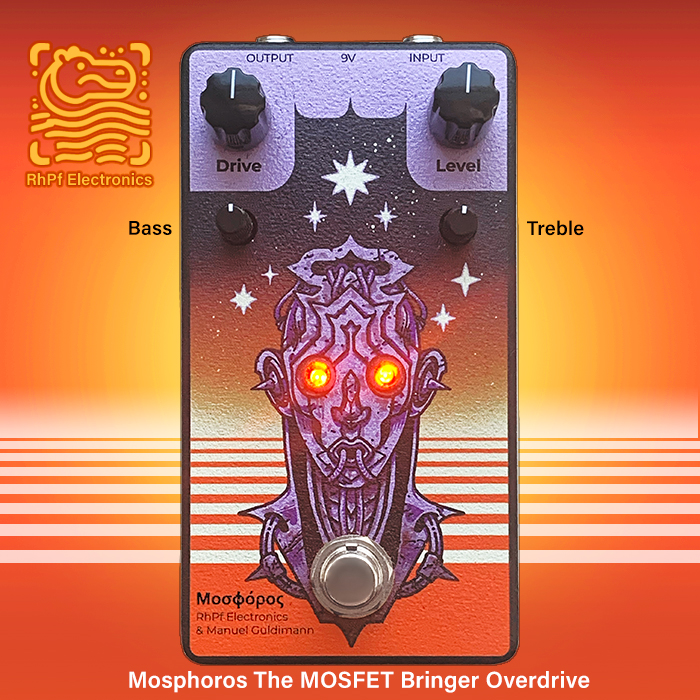
Thomas of RhPf Electronics has created a quite superb Resource for Pedal Enthusiasts and Professionals alike - 'Tone Maps' - where you can compare the output profile of up to 5 pedals at a time!


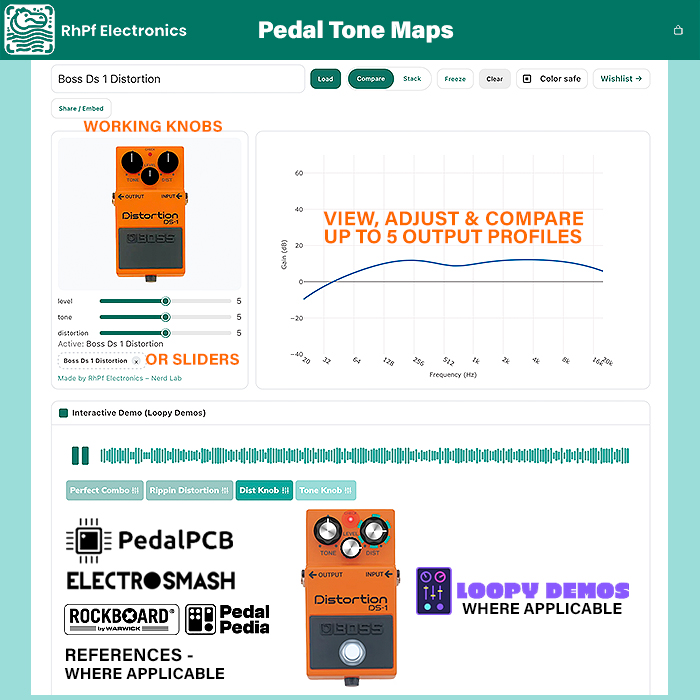
The RhPf Electronics’ Nerd Lab Tone Maps is an incredible pedal resource which I already use a lot - and which plots, maps and compares the output profiles of a large variety of devices - where you can compare up to 5 at a time - and even [Stack] them together to view Combined Output Profiles.
While I mostly have the resource in [Compare] Mode - where you contrast the output profiles of up to 5 different devices in the same chart - where each device gets its own distinct coloured line with the [] Color Safe] switch on. With that switch off you get multiple shades of the RhPF Teal Signature Colour - the App is much easier to read and use with the [] Color Safe] mode on!
The display starts with a drop-down field - where you get to select from a rapidly growing number of pedal profiles. More are being added all the time - you can Nominate / Suggest and Up-Vote a desired device on the Tone Map Wishlist Page - and if enough community members weigh in - and we get 10 votes or more for it - Thomas commences the trace of said new pedal - which then goes up on the site typically within a day or two!
There are 10 simple controls as follows :
Controls - [Pedal List Field] [Load] [Compare] [Stack] [Freeze] [Clear] [] Color Safe] [Wishlist→] [Share/Embed].
The first one is where you Select and then [Load] the specific pedal/s you want to view and compare the output profiles for.
[Compare] gives you a trace line for each device, while [Stack] combines the output of the selected pedals into a single trace.
[Freeze] allows you to do snapshots of different settings - which then appear as dotted lines - so you can for instance compare the full range of each pedal. You are able to do as many as 100 Freeze Trace dotted lines on each chart - while that’s going to get real messy if you use them all!
[Clear] specifically removes the Freeze Traces.
To remove pedals - you need to hit the [x] next to each particular pedals selected - and then you can select anothere group.
[Wishlist→] then takes you to the Tone Map Wishlist Page - where you can Nominate / Suggest and Up-Vote devices that aren’t yet covered.
Finally the [Share/Embed] button gives you code to share and embed those Tone Maps to other sites.
It needs to be noted that Tone Maps also connects with a slew of related resources. So where applicable references exist on Loopy Demos, Pedal PCB, Electrosmash, and Rockboard PedalPedia References - those will appear also as active or link component - where a recored exists for that pedal.
So it’s an even more magnificent and externsive resource and conduit than you are initially aware of!
I’ve used these resources extensively for my reviews of the RhPf pedals that I’ve covered so far, They’ve also given me various insights into significant adjacent groups of effects - where I’ve included a number of those specific snapshots below!
Oh! and you get the option to use either the pedal’s knobs to adjust - or more linear slider controls.
Boss OD-1 vs SD-1 vs OD-3
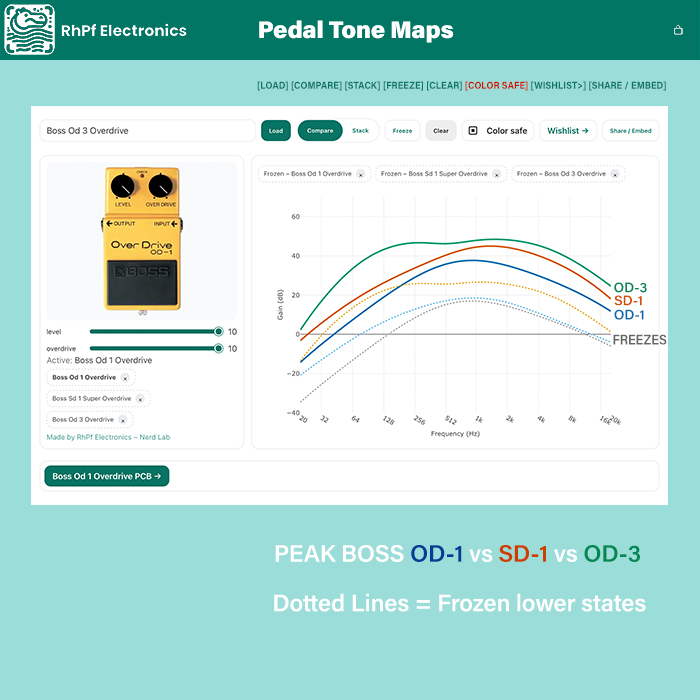
It's always interesting to compare Boss's core Overdrive Trifecta - the original OD-1, then the slightly smoother SD-1, and finally the more vibrant OD-3! Note that I've applied some Freeze Traces to that chart also - those are the default 'Everything in the Middle' settings!
Ibanez TS808 vs the Klon Centaur
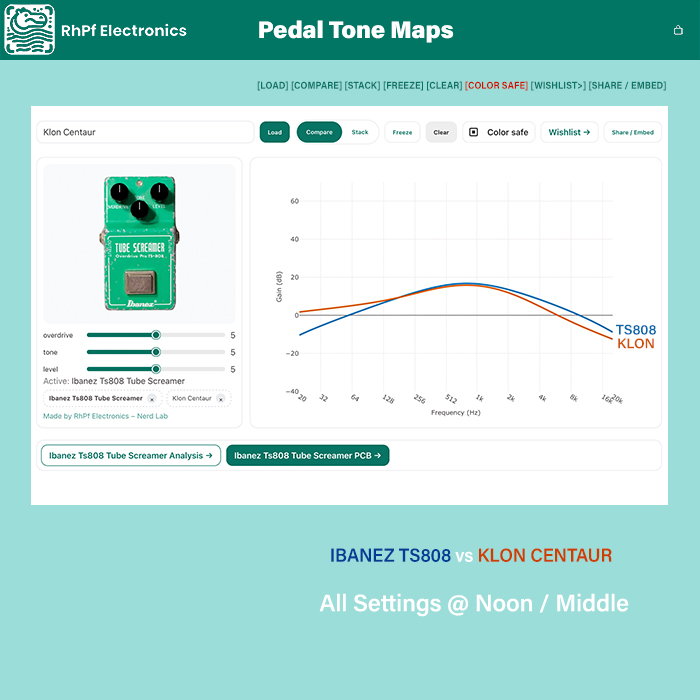
It's fascinationg to see the differences between those 2 classic Mid-Humper Overdrives!
Marshall Blues Breaker vs JHS Morning Glory vs Wampler Pantheon
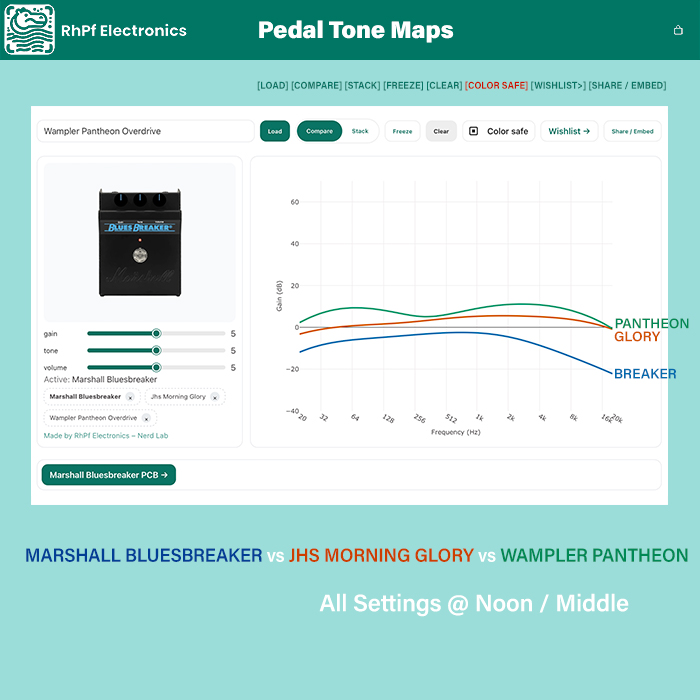
It's somewhat surprising to see just how different those core Breaker profiles are!
Paul Cochrane Timmy vs Greer Amps Lighspeed
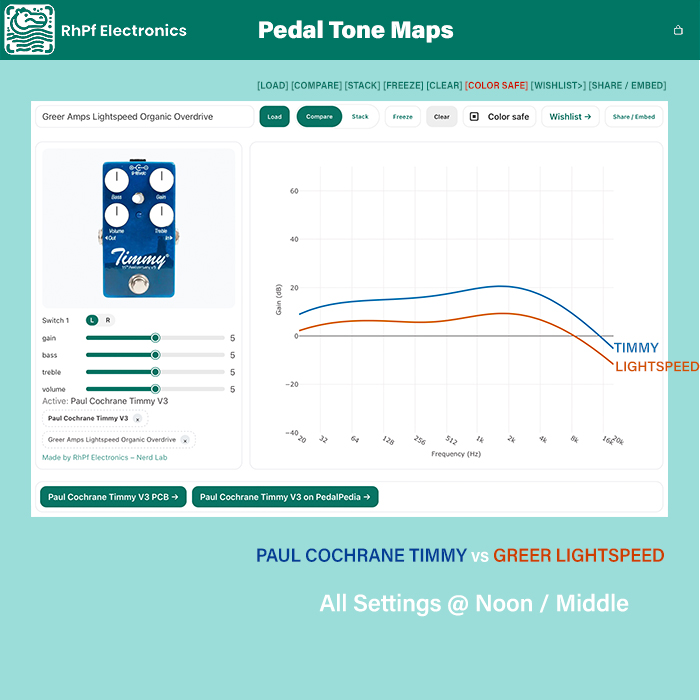
Here we can see exactly that the Lightspeed is a Lower Gain variant of the Timmy Circuit!
EQD Plumes Moden Screamer Overdrive vs Blumes Bass Edition
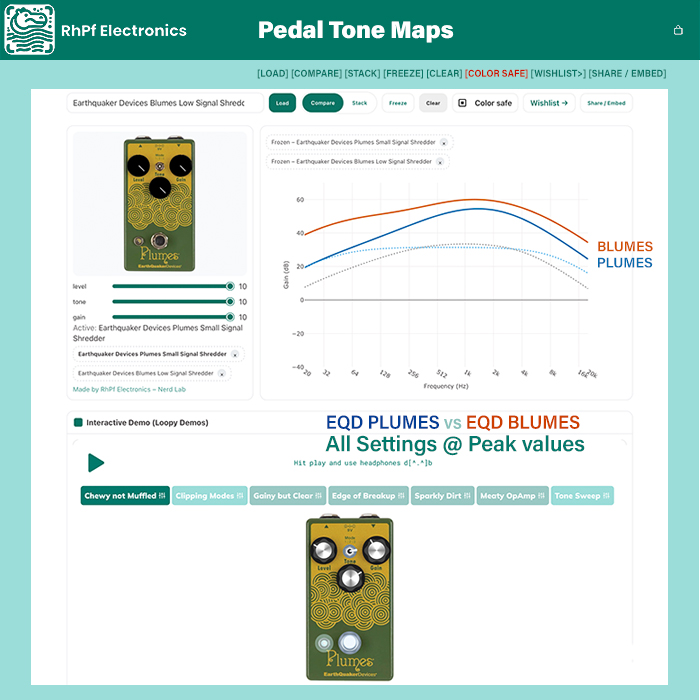
Here we see how different the later Blumes Bass Version is to its Plumes Guitar Forebear!
Boss HM-2 Heavy Metal vs HM-3 Hyper Metal
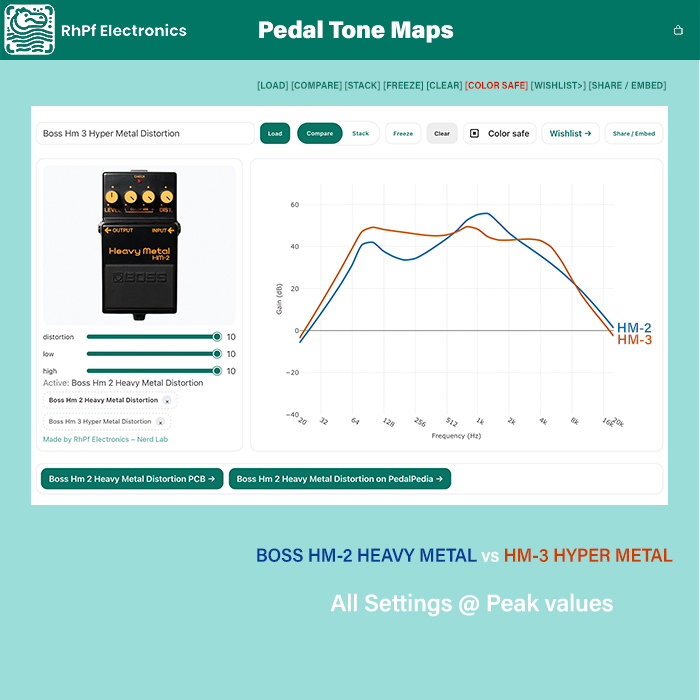
Here we see the very distinct 'Twin Peaks' profile of the HM-2 - and how the maxed out HM-3 profile is an entirely different variant!
Pedals Covered So Far
- 1981 Inventions DRV Distortion
- Analogman Prince of Tone Overdrive
- Arbiter Fuzz Face Fuzz
- BBE Sonic Stomp (Sonic Maximizer) Boost
- Boss BD-2 Blues Driver Overdrive
- Boss DS-1 Distortion
- Boss HM-2 Heavy Metal Distortion
- Boss HM-3 Hyper Metal Distortion
- BossMT-2 Metal Zone Distortion
- Boss OD-1 OverDrive
- Boss OD-3 OverDrive
- Boss PX-1 Plugout FX Digital
- Boss SD-1 Super OverDrive
- Catalinbread SFT Overdrive Overdrive
- Crowther Audio Hotcake Overdrive
- Dallas Rangemaster Treble Booster Boost
- Darkglass Microtubes B3K Overdrive
- DigiTech Bad Monkey Tube Overdrive
- DOD Bi-Fet Preamp FX1 Boost
- DOD FX69B Grunge Distortion
- DOD Overdrive 250 Overdrive
- EarthQuaker Devices Acapulco Gold Distortion
- EarthQuaker Devices Arrows Pre-Amp Booster
- EarthQuaker Devices Blumes Low Signal Shredder Overdrive
- EarthQuaker Devices Hizumitas Fuzz Sustainar
- Plumes Small Signal Shredder EarthQuaker Devices published Overdrive
- Special Cranker Overdrive Pedal EarthQuaker Devices published Overdrive
- Westwood Translucent Drive Manipulator EarthQuaker Devices published Overdrive
- Big Muff Pi (Civil War) Electro-Harmonix published Fuzz
- Big Muff Pi (Green Russian) Electro-Harmonix published Fuzz
- Electro-Harmonix Big Muff Pi (Triangle) Fuzz
- Electro-Harmonix Op-Amp Big Muff Pi Fuzz
- Fortin Grind Boost
- Fulltone OCD Overdrive
- Greer Amps Lightspeed Organic Overdrive
- Ibanez MT10 Mostortion Overdrive
- Ibanez TS808 Tube Screamer Overdrive
- JHS Crayon Overdrive
- JHS Moonshine V2 Overdrive
- JHS Morning Glory Overdrive
- Klon Centaur Overdrive
- Lollar Overdrive
- Lovepedal Hermida Zendrive Overdrive
- Mad Professor Royal Blue Overdrive
- Mad Professor Sweet Honey Overdrive
- Marshall Bluesbreaker Overdrive
- Marshall JCM 800 Overdrive
- Marshall JCM 900 Overdrive
- Marshall Shredmaster Distortion
- Marshall The Guv-nor Distortion
- MXR Custom Badass 78 Distortion
- MXR DD11 Dime Distortion
- MXR M104 Distortion Plus
- Nobels ODR-1 Natural Overdrive
- Paul Cochrane Timmy V3 Overdrive
- Peavey Decade Preamp Overdrive
- ProCo RAT Distortion
- Revv G3 Overdrive
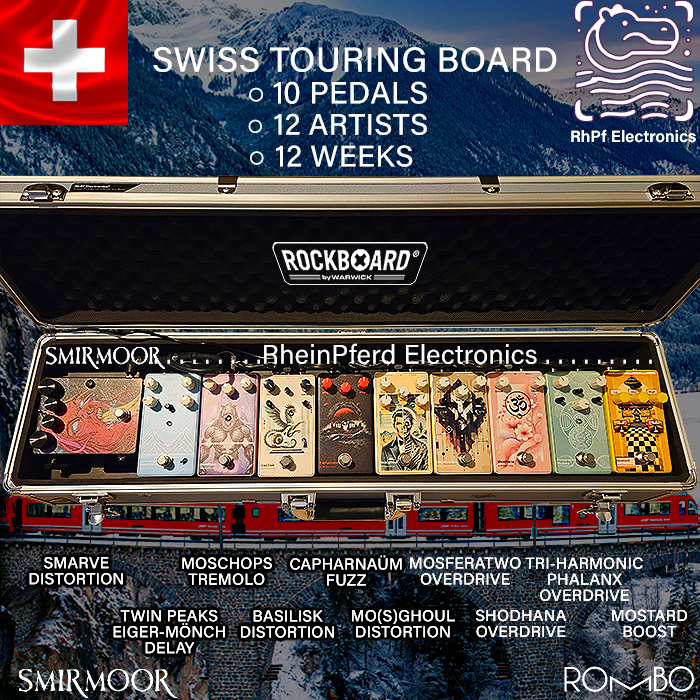
- RhPf Electronics Capharnaum Fuzz
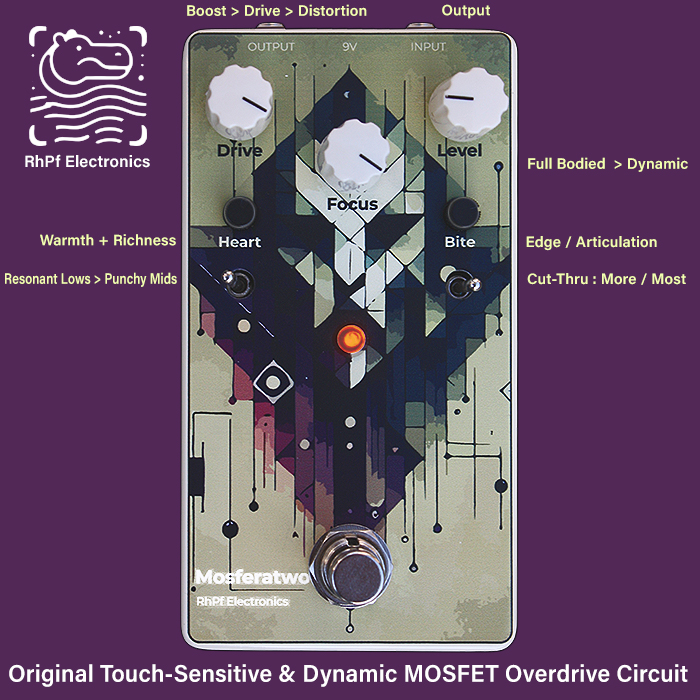
- RhPf Electronics Mosferatwo Overdrive
- RhPf Electronics Mosghoul Distortion
- RhPf Electronics Mostard Boost
- RhPf Electronics Shodhana Overdrive
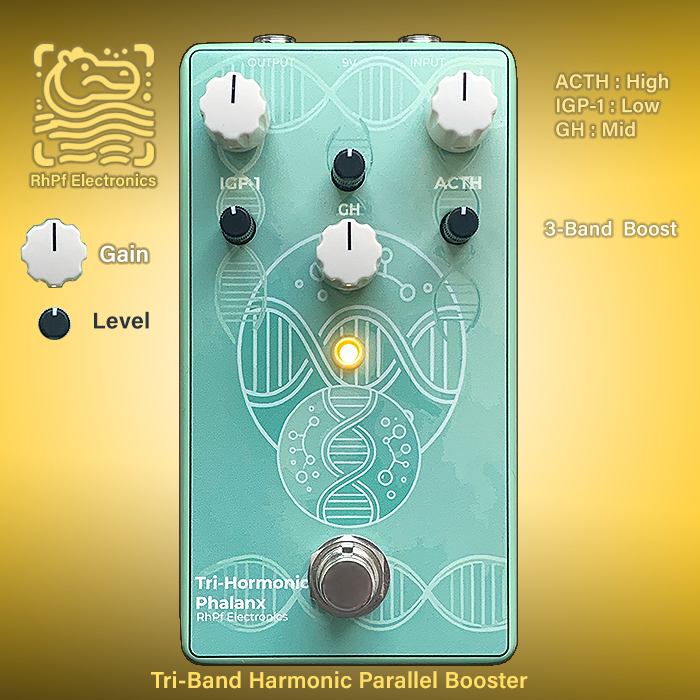
- RhPf Electronics Tri-Hormonic Phalanx Boost
- Sola Sound Tone Bender MkII Professional Fuzz
- Systech Harmonic Energizer Boost
- Wampler Pantheon Overdrive
- Way Huge Green Rhino Overdrive
- Xotic EP Booster
- Yamaha NE-1 Bass Parametric EQ Boost
- Zvex Box of Rock Overdrive
- Zvex Super Hard On Boost
Dozens more Pedals are Planned and Under Consideration - there's a smart Tone Map Wishlist App - as below - which enables you to suggest / nominate pedals to be covered - which are then Up-Voted by the community. And when a proposed pedal gets to 10 Votes - Thomas then makes the Trace for that pedal - and publishes the results typically within a couple of days or so. Obviously said resource is growing fast!
Tone Map Wishlist Page
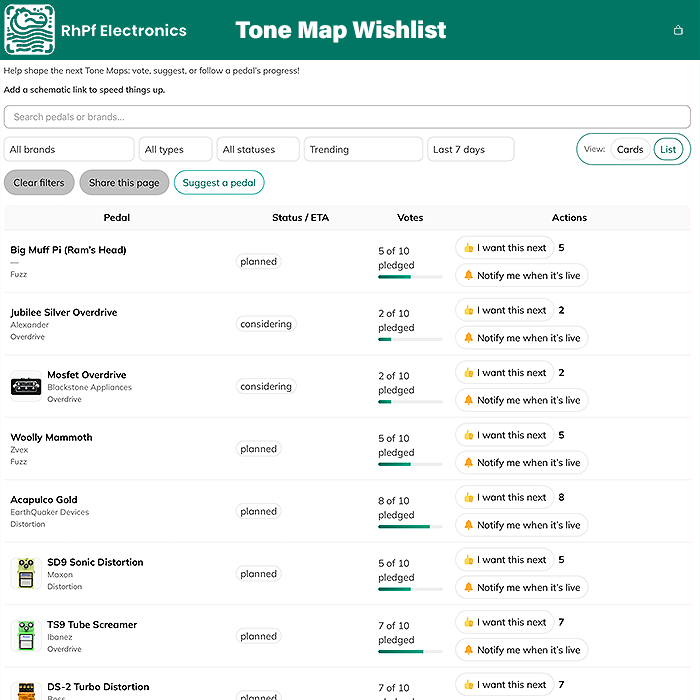
Use the Tone Map Wishlist Page to Suggest / Nominate and Up-Vote Pedals that are already under consideration
Tone Map Embed Example
Final Notes
I thought you would be able to embed the actual traces - but no - you embed the whole App - which always defaults to the ProCo Rat at the start!





Content Subscriptions